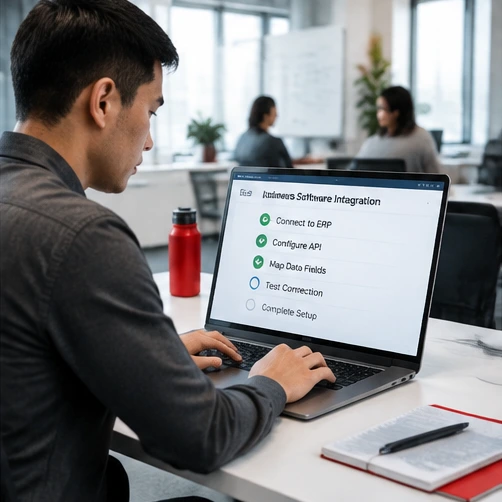
Connect your identity provider, accounting tool and key apps. SaaSGama discovers subscriptions automatically — no implementation project. SaaS integrations bring your business software integrations together for easier SaaS application management.
What is 5-Minute Setup in SaaSGama? Connect your identity provider, accounting tool and key apps. SaaSGama discovers subscriptions automatically — no implementation project.
Why it matters
Up and running before your coffee cools.
Start with the information you already have. Connect supported identity, accounting and business tools, or bring in a CSV inventory. The goal is a dependable starting point for license management—not another implementation project that asks your team to recreate every subscription by hand.
Connect a supported provider or import a CSV. Have the correct owner review permissions before authorizing a connection.
2
Reconcile the inventory
Review discovered records for duplicate vendors, missing owners and incomplete contract terms. Discovery is a starting point, not a guarantee that every purchase is covered.
3
Build an ongoing review
Add new subscriptions to the shared process and revisit your inventory with finance and IT. Confirm which fields each connector can supply.
The problem
Most SaaS management tools take weeks to deploy and need a consultant. SMBs don't have that time.
50+ integrations
One-click connectors
Google Workspace, Microsoft 365, Slack, QuickBooks, Xero and more.
Auto-discovery
Find subscriptions you didn't know you had.
CSV import
Bring in your existing spreadsheet in seconds.
Proof you can check
Measure the outcome, not the promise.
Inventory coverage
Compare your reviewed inventory with invoices and the tools department owners know they use.
Source traceability
Know which connected source or import supplied a subscription so discrepancies can be checked.
Complete key fields
Prioritize the owner, cost, assigned seats and renewal terms needed to take the next decision.
Customer outcomes
What visibility changed for real businesses.
Anonymous customer examples reported by SaaSGama. Individual outcomes, not averages or guaranteed results.
$38M business
Over $300K
Annual savings on unused licenses
After gaining a clear view of the software used across the business, this customer saved more than $300,000 annually on unused licenses. Visibility made previously overlooked license spend actionable.
Customer identity withheld
$12M-turnover business
Over $28K
Annual savings after assigning ownership
This customer assigned software ownership to the respective teams and saved more than $28,000 annually. Clear ownership connected each tool to the team responsible for its business need.
Can I connect my existing software subscriptions to SaaSGama?
Yes. SaaSGama supports connections with tools such as Google Workspace, Microsoft 365, Slack, QuickBooks, and Xero, helping you bring software subscription information into one place.
What if my business uses software that is not directly supported?
You can upload a CSV file containing your existing software inventory. SaaSGama helps you organise your subscription information and build a shared inventory.
How long does it take to connect my business tools?
SaaSGama is designed to get you started in about five minutes. Connect a supported tool or upload a CSV file to begin organising your software inventory.
Can SaaSGama automatically discover software subscriptions?
Yes. SaaSGama can discover subscription information through supported connected sources. You can then review the records, confirm ownership and fill in any missing details.
Do I need technical support or a consultant to set up SaaSGama?
No lengthy implementation project is required. You can start with supported integrations or a CSV import and gradually add more connections as your business needs them.
Connect Google Workspace, Microsoft 365 or your accounting tool in about 5 minutes. Get a clear list of unused licenses and upcoming renewals. No credit card, cancel anytime.