SaaSGama
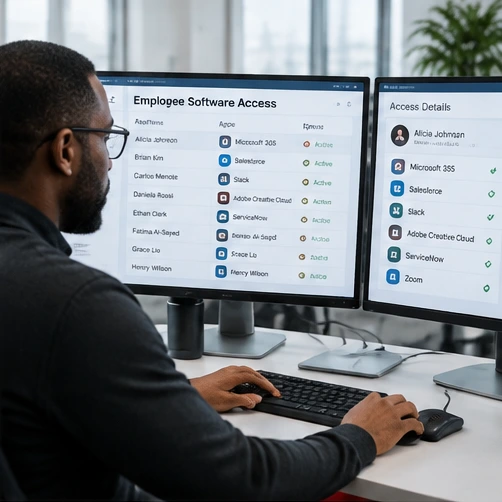
License Management reviewing business software

License Management

Manage Software Licences Across Your Team in One Place

Assign licenses to people, not spreadsheets. When someone changes role or leaves, reclaim their seats in a click. Simple software license tracking and SaaS license management for teams, without spreadsheets.

  • 14-day free trial
  • No credit card
  • Cancel anytime

In short

What is License Management in SaaSGama? Assign licenses to people, not spreadsheets. When someone changes role or leaves, reclaim their seats in a click.

Why it matters

Know who has what. Reclaim what they don't need.

A software license should belong to a person and a business need—not an old spreadsheet row. Connect your people directory to your tool inventory to see assigned access, available seats and licenses that need to be reclaimed when someone changes role or leaves.

Try License Management free for 14 daysNo credit card · Set up in 5 minutes
License insightsIllustrative data

Reassign capacity before adding cost

A fictional access review shows where paid capacity is still available.

120
Purchased seats
96
Assigned seats
24
Available seats
Tool groupPurchased / assignedAvailable
Collaboration50 / 437
Project management40 / 319
Design30 / 228

Available seats can support new hires. Reclaiming or reassigning seats only reduces spend if it avoids a purchase or changes a paid commitment.

In everyday business

Clear use cases. Practical outcomes.

01

Give new hires the right seats

A new employee needs several tools, but nobody knows which seats are available.

How you manage it

Check existing capacity, assign the right licenses to the person and make the tool owner accountable for any missing access.

Fewer last-minute purchases and a clearer onboarding handoff.

02

Reclaim licenses during offboarding

A departing employee has licenses across several departments and subscriptions.

How you manage it

Review the person's tool list, coordinate access removal with IT and reclaim seats that can be reassigned or removed at renewal.

No forgotten paid seats and a documented list of the access that needs attention.

03

Keep access aligned with a role

An employee moves from sales to operations but retains their old team's paid tools.

How you manage it

Review the person's assignments with both managers, keep the licenses needed for the new role and reclaim the rest.

Cleaner access and a more accurate view of each department's software needs.

See license management on your own stack.

Connect your tools in 5 minutes. 14-day free trial, no credit card.

Try License Management free

The licensing workflow

From visibility to a decision.

  1. 1

    Map people to tools

    Keep a directory of people and the licenses assigned to them. Record tool ownership separately from who uses each seat.

  2. 2

    Review changes in the team

    Use onboarding, role changes and departures as checkpoints. Check available seats before approving new purchases.

  3. 3

    Reconcile with the vendor

    Reclaim an assigned seat, then check the contract. Unassigning a license does not automatically reduce the vendor's billed commitment.

The problem

Seats stay assigned to people who left months ago. Onboarding takes days because nobody knows who owns which tool.

Unlimited team members

People directory

Every employee and every tool they use, in one view.

Offboarding checklist

Reclaim all seats when someone leaves.

Role-based access

Control who can see and change what.

Proof you can check

Measure the outcome, not the promise.

Assigned versus available

Compare purchased seats with assigned seats to understand spare capacity before buying more.

Completed offboarding

Review whether every departing employee's license list has been checked and handed to the appropriate owner.

No orphaned ownership

Keep a current accountable person for every subscription even when its original purchaser leaves.

Customer outcomes

What visibility changed for real businesses.

Anonymous customer examples reported by SaaSGama. Individual outcomes, not averages or guaranteed results.

$20M SME

More than 6

Unused LinkedIn Sales Navigator licenses

An SME customer identified unused LinkedIn Sales Navigator licenses and saved on more than six of those licenses. A concrete example of finding paid seats that were not being used.

Customer identity withheld

$12M-turnover business

Over $28K

Annual savings after assigning ownership

This customer assigned software ownership to the respective teams and saved more than $28,000 annually. Clear ownership connected each tool to the team responsible for its business need.

Customer identity withheld

Put this to work this week.

Questions SMBs ask us.

How can I manage software licences for employees using multiple tools?

SaaSGama helps you review each employee's assigned software licences during onboarding, role changes and offboarding, making it easier to track access and identify seats that can be reassigned.

How long does it take to set up SaaSGama?

Setup takes about five minutes. Connect Google Workspace, Microsoft 365 or a supported accounting tool, or upload a CSV file to organise your software inventory.

How can SaaSGama help me find unused software licences?

SaaSGama helps you compare purchased, assigned and available seats, so you can identify unused licences and review opportunities to reassign them before purchasing more.

Which tools can I connect to SaaSGama?

You can connect Google Workspace, Microsoft 365 and supported accounting tools. You can also upload a CSV file to organise information about other software subscriptions.

What is included in the SaaSGama free trial?

SaaSGama offers a 14-day free trial with full access and no credit card required. You can explore the platform and cancel anytime.

What you get

Outcomes you can count on.

01

Faster onboarding

02

Clean offboarding

03

No orphaned seats

Ready to see it live?

Try License Management free

More features

See what you can cut — free for 14 days.

Connect Google Workspace, Microsoft 365 or your accounting tool in about 5 minutes. Get a clear list of unused licenses and upcoming renewals. No credit card, cancel anytime.

  • 14-day free trial
  • No credit card
  • Cancel anytime
Try License Management free

14 days free · No credit card